
Check every reference in your manuscript against its DOI record.
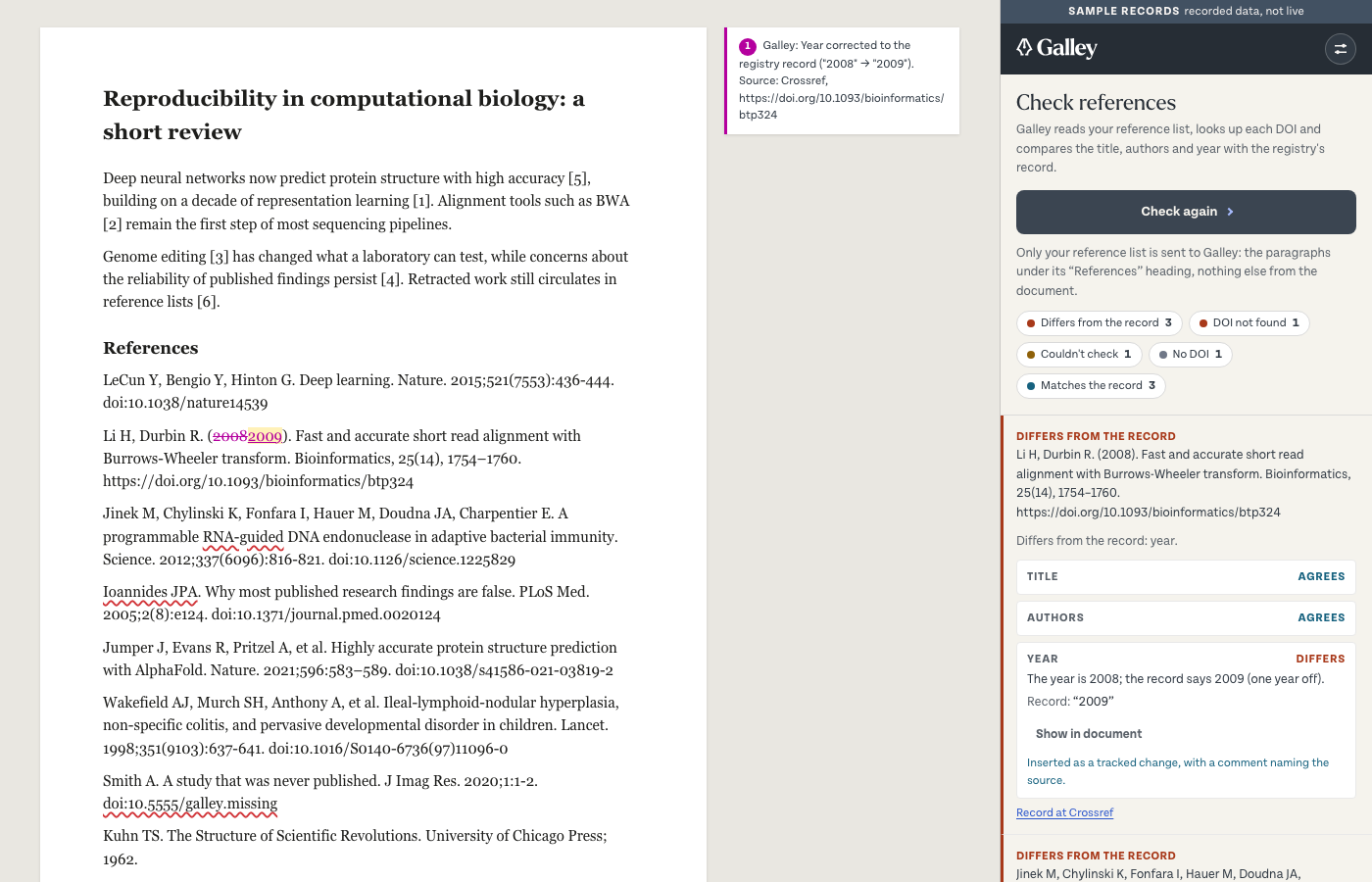
Galley is a Word add-in. It reads your reference list, looks up each DOI, and shows where the title, authors or year differ from the registry's record. It can insert the record's value for you, as a tracked change with a comment naming the source. Fixed rules, no AI model.
Staging. This is Galley before release, for Evidite staff. Please don't pass the manifest on.
Manifest 0.1.0.70 · the pane runs at https://app.staging.galley.evidite.com · the same add-in on https://galley-staging-897037145772.us-central1.run.app (Cloud Run's own address, a fallback)
Install it (sideloading)
Galley isn't in Microsoft's store yet. Download the manifest above, then add it to Word:
Word on the web
- Open a document at office.com.
- Home → Add-ins → More Add-ins (or Insert → Add-ins).
- My Add-ins → Upload My Add-in, choose the manifest, Upload.
- The Galley tab appears on the ribbon. Word on the web forgets sideloaded add-ins after a while; upload again if it goes.
Word for Windows or Mac (Microsoft 365)
- Home → Add-ins → More Add-ins.
- My Add-ins → Upload My Add-in, choose the manifest.
- If there's no upload option: on a Mac, copy the manifest into
~/Library/Containers/com.microsoft.Word/Data/Documents/wefand restart Word; on Windows, share a folder, add it under File → Options → Trust Center → Trusted Add-in Catalogs, put the manifest in it, then pick Galley under My Add-ins → Shared Folder.
What Galley sends
Only your reference list: the text of each reference paragraph. Nothing else from the document. Galley looks up each DOI's record (at Crossref, or Evidite's scholarly index) and compares title, authors and year. It never changes your document unless you ask it to correct a reference, and then only the words it names.